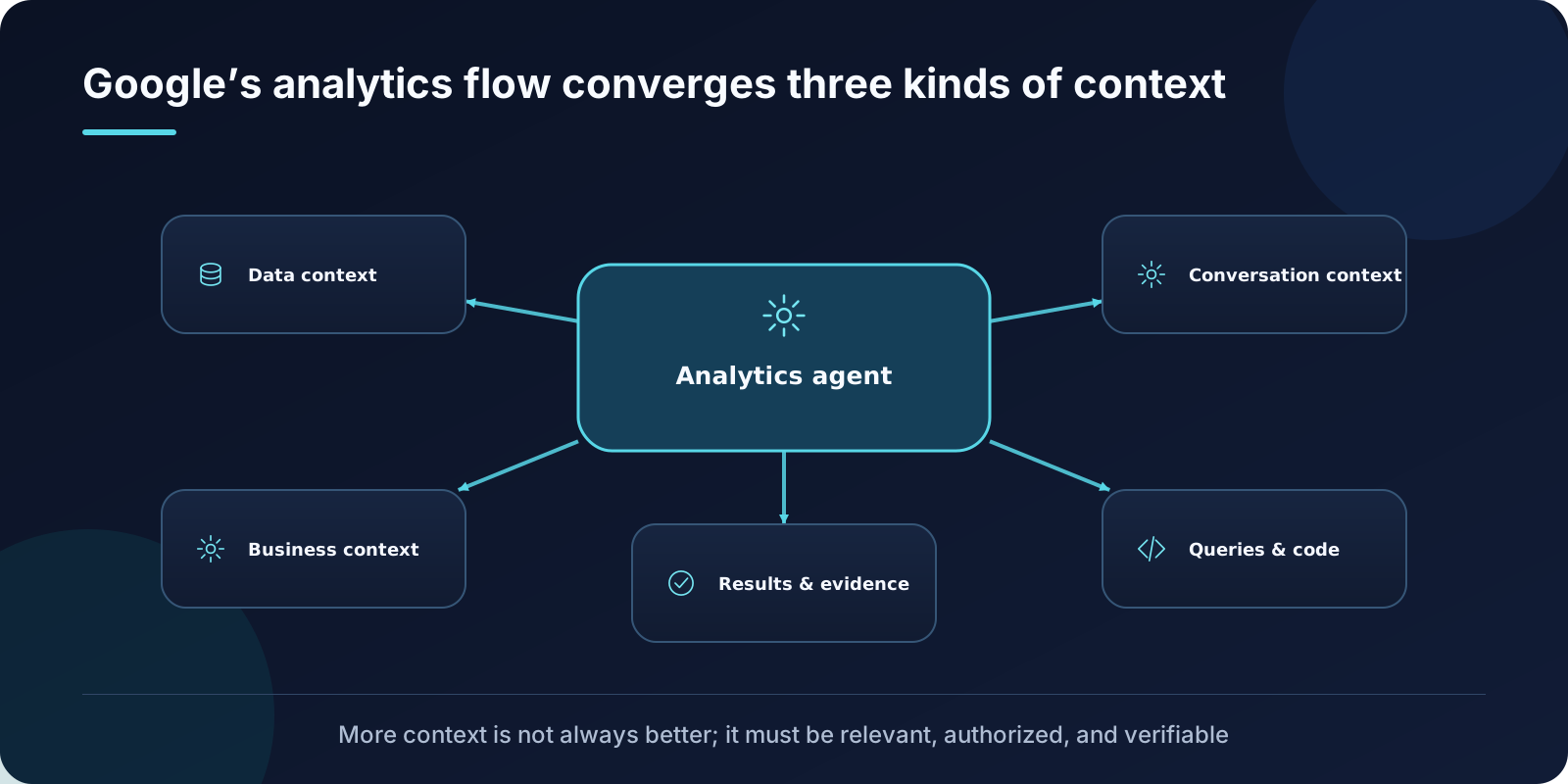
Knowing where a table lives is not the same as knowing how to answer a business question. Google Cloud describes Conversational Analytics data agents as a combination of context and tools: business information and data provide context; SQL, Python, and visualization tools perform work.
Three contexts have different authority
Data context identifies queryable objects, fields, relationships, and locations. Business context explains terms, metrics, filters, and verified queries. Conversation context retains the user’s scope, assumptions, and follow-up questions across turns.
Collapsing them into one generic “knowledge base” is dangerous. Field metadata cannot replace metric definition, and chat history should not override governed semantics. Each context type needs provenance, effective time, and precedence.
Saved agents, inline context, and state
The API can reference a saved data agent or accept context inline. Multi-turn interactions may use stored conversations, while stateless applications manage history themselves. The choice affects reuse, isolation, auditability, and data residency—not merely developer convenience.
Semantic assets reduce ambiguity
For BigQuery and Looker, teams can add table and field metadata, interpretation instructions, and verified queries. Whether “top performers” means highest revenue or most closed deals should be governed business meaning, not an improvised model choice.
Production boundaries
IAM and source permissions still control access. Product maturity and visualization support vary by data source. Google explicitly warns that generated output can look plausible while being factually wrong, so consequential results still require validation.
A useful pilot chooses one semantically stable topic, prepares verified queries for recurring questions, records generated SQL and tool calls, and assigns failures to context, execution, or presentation layers.
The central lesson is that more context is not automatically better. Useful context is relevant, authorized, traceable, and consistent across conversation state.
References: Conversational Analytics API overview, BigQuery Conversational Analytics